Basic checks · First response · Coordination
Troubleshooting and support for Philips HearLink
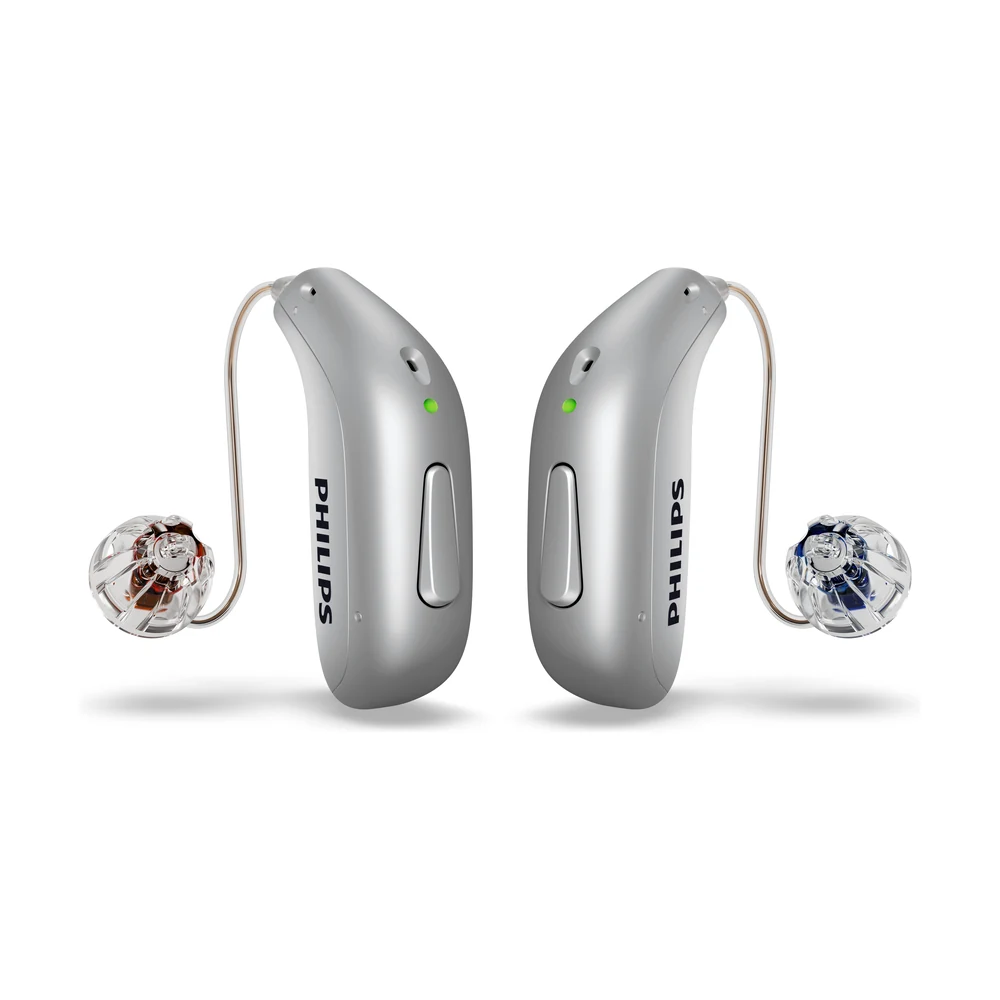
G-Sound is an authorized marketer of Philips hearing aids. Kol Echad (קול אחד) — an authorized marketer through authorized agents nationwide. At G-Sound: help, fitting, accessories, first-line support and coordination of repairs for Philips HearLink hearing aids, nationwide. When a laboratory check is needed, G-Sound coordinates further treatment with the authorized service laboratory for Philips and Oticon in Ramat Gan.
What you can check yourself, safely, when something is not working as usual, and when to stop and contact G-Sound. Every request starts with us: 055-3333338.
No sound at all
According to the Philips troubleshooting table, the common cause is simply that the hearing aid is not charged: charge it. According to Philips, you switch a hearing aid on by pressing the button for about two seconds (the light turns green), or simply by taking it out of the charger. More about the button: the HearLink button.
The hearing aid does not connect to the phone
- Make sure Bluetooth on the phone is on, and the hearing aids are on and charged.
- Bring the phone closer to the hearing aids.
- According to Philips: unpair, turn Bluetooth on the phone off and on, turn the hearing aids off and on, and pair again.
- According to Philips, pressing the button on one hearing aid to turn Bluetooth off turns it off on both. Check that you did not turn it off by mistake.
If you changed phones, or the connection stopped working after an update, you may need to pair again. Compatibility depends on the phone model and the hearing aid model. More: app, Bluetooth and phone. Detailed checks: not connecting to iPhone · not connecting to Android · the app shows only one hearing aid.
The hearing aid does not charge
- Make sure the charger is plugged in, and the wall socket works.
- Make sure the hearing aids sit correctly in the charger slots.
- Wipe the hearing aids and the charging surfaces with a dry cloth.
- Make sure the charger matches your style: miniRITE R or miniBTE R.
- If you use Charger Plus without mains power, the charger's own battery may be empty.
The hearing aid does not switch on after you take it out of the charger
According to the Philips instructions for use for the miniRITE style, when the charger is disconnected from the mains or its battery runs out mid-charge, the hearing aids may switch off to save power. In that case switch them on manually with the button. If they still do not switch on, put them back in a charger connected to the mains. More: rechargeable and charging.
The sound is weak, muffled or cuts out
- According to Philips, a common cause is a blocked sound outlet: replace the filter, dome or Grip Tip.
- Check that the dome is firmly attached to the speaker.
- On miniBTE R: check that the tube is not blocked or kinked.
- Check in the app that the volume and program have not changed.
Domes and filters are replaced according to the instructions for use. See care, filters and wax and consumable parts.
Whistling or beeping
According to the Philips troubleshooting table, whistling can come from an earpiece that was not inserted correctly: insert it again. According to Philips, a repeating series of beeps can be a microphone warning: clean gently with the cleaning tool, and if it continues, contact service.
The hearing aid got wet
According to Philips, wipe it gently and let it dry. Do not dry it with heat. If something changed after it got wet, contact us.
What not to do
- Do not open the hearing aid or the charger.
- Do not dry it with a hair dryer, in an oven or in a microwave.
- Do not clean it with solvents or harsh substances.
- Do not insert sharp objects into the openings of the hearing aid.
The checks did not help? Here is what happens next: a fault: what to do.
What to tell us when you contact us
The model (9050, 7050, 5050 or 3050) and the style (miniRITE R or miniBTE R), which ear, what exactly is happening and when it started, and what you have already checked from the list. A photo of the hearing aid or the charger on WhatsApp helps us understand faster.
All Philips HearLink pages
- Philips HearLink: series page
- HearLink 50 levels and styles
- HearLink 9050
- HearLink 7050
- HearLink 5050
- HearLink 3050
- miniRITE R style
- miniBTE R style
- How to choose and start
- Who HearLink suits
- Philips or Oticon: how to choose
- How visible on the ear
- SoundMap 3 and background noise
- Online hearing test: what it checks
- Fitting and follow-up
- Upgrading from an older Philips
- App, Bluetooth and phone
- Not connecting to iPhone
- Not connecting to Android
- App shows only one hearing aid
- The HearLink button
- TV with HearLink
- HearLink AudioClip
- Accessories and chargers
- Rechargeable and charging
- Charger or Charger Plus
- Care, filters and wax
- Consumable parts
- A fault: what to do
- Philips service at G-Sound
- Questions and answers
- Guide for caregivers
- Assisted living and institutions
Product information sources
- Philips — HearLink 50 miniRITE (product page; instructions for use and technical data are available there) · checked 20.10.2026
- Philips — Charger · checked 20.10.2026
- Philips — Charger Plus · checked 20.10.2026
G-Sound is not the Philips website. Philips is a trademark of Koninklijke Philips N.V. Product information is shown only where it appears in Philips materials; compatibility, style and fit are checked for each customer.
Updated 1 November 2026 · Written by the G-Sound editorial team. Product information is as published by Philips; it does not replace a hearing test or medical advice.
More in English
Frequently asked questions
Questions and answers
Why does HearLink not appear in the phone's Bluetooth?
Check that Bluetooth is on, the hearing aids are on and charged, and the phone is close. According to Philips, if pairing fails, unpair, turn Bluetooth and the hearing aids off and on, and pair again.
What should I check when the charger does not charge?
That the charger is plugged in and the socket works, the hearing aids sit correctly, the charging surfaces are clean and dry, and the charger matches your style. With Charger Plus without mains power, the charger's own battery may be empty.
The hearing aid sounds muffled. What is the first check?
According to Philips, check whether the sound outlet is blocked and replace the filter, dome or Grip Tip. On miniBTE R, also check that the tube is not blocked. If the sound stays muffled, contact us.
Can I dry a wet hearing aid with a hair dryer?
No. According to Philips, wipe it gently and let it dry, without heat: not with a hair dryer and not in an oven. Then contact us for a check.
What if the checks did not help?
Contact G-Sound by phone or WhatsApp on 055-3333338. When a laboratory check is needed, G-Sound coordinates further treatment with the authorized service laboratory for Philips and Oticon in Ramat Gan. We do not promise a repair or a turnaround time in advance.
Please do not send sensitive medical information in a message. We go over the relevant details on the phone.
Questions about Philips HearLink?
Tell us briefly what matters to you, and we will help you work out what fits. Service is by appointment.
Call G-Sound about a Philips HearLink hearing aid.
055-3333338