Philips accessory · Remote microphone · Calls
Philips HearLink AudioClip: a remote microphone and calls straight to the hearing aids
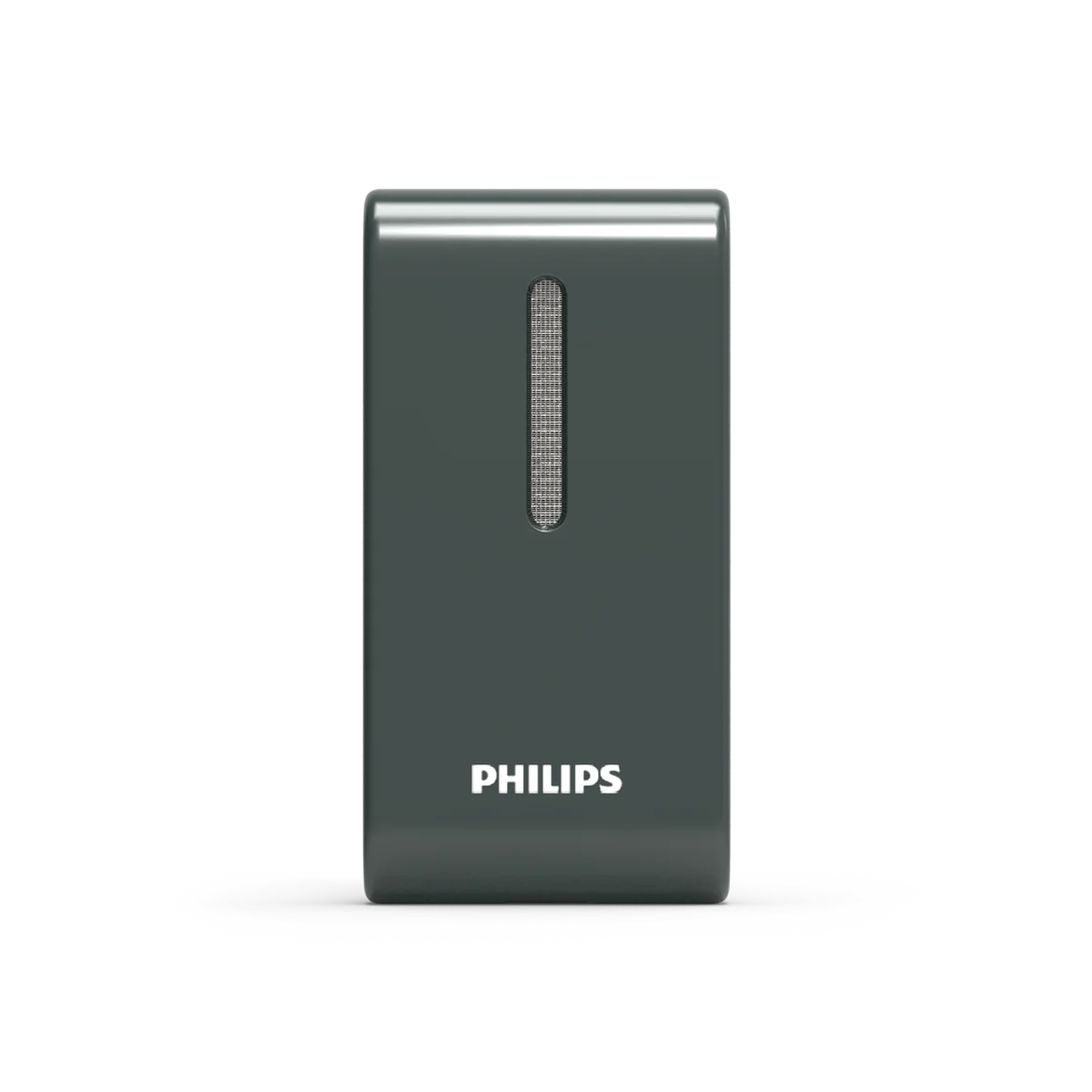
G-Sound offers Philips hearing aids. At G-Sound: help, fitting, accessories, first-line support and coordination of repairs for Philips HearLink hearing aids, nationwide. When a laboratory check is needed, G-Sound coordinates further treatment with the authorized service laboratory for Philips and Oticon in Ramat Gan.
All Philips products, including hearing aids, parts, chargers and accessories, can be ordered through G-Sound.
When it is hard to hear one person in noise or at a distance, AudioClip brings their voice closer to the hearing aids. Here is how it works according to Philips, and the situations in which it is worth checking.
What AudioClip does, according to Philips
- A remote microphone. Clip the accessory to the clothing of the person you are talking to, or place it close to them. Their voice goes straight to the hearing aids, and competes less with the noise around.
- Calls without holding the phone. According to Philips, AudioClip allows calls without holding the phone with iPhone and Android phones, and the call is heard in the hearing aids.
- One button for calls and volume. The accessory has a button for answering a call and changing the volume.
- Streaming for hearing aids that need an intermediary. Philips states that it allows streaming to hearing aids that need an accessory to receive audio from the phone.
In the Philips technical documents, AudioClip appears as an accessory of HearLink 50 in the miniRITE R style and the miniBTE R style. Have a different Philips model? Send us the exact name and we will check it against the manufacturer's documents.
Four situations in which it is worth checking
A noisy table
A family meal or a restaurant: clip the accessory to the person you most want to hear, rather than trying to catch the whole table. More ideas: hearing aids in noisy places.
A meeting, a class or a lecture
When the speaker is far away, the microphone is close to them and the voice reaches you. See also hearing aids in synagogue, lectures and events.
Long phone calls
Anyone who finds it hard to hold the phone to the ear can have the call through the accessory, with the phone in a pocket or on the table.
A family member moving around the house
A spouse in another room, or a caregiver moving between rooms: the microphone is on them, and the conversation continues even at a distance.
When AudioClip is not the first step
- Everything sounds weak or unclear, even in quiet. First check the adjustment of the hearing aid: follow-up adjustments. An accessory does not replace adjustment.
- The phone already connects directly and calls are good. You may only need the remote-microphone role, or no accessory at all.
- The phone connection dropped. First go through the checks in not connecting to iPhone or not connecting to Android.
AudioClip compared with other Philips accessories
| What you want to solve | The accessory to check | More |
|---|---|---|
| One person's voice in noise or at a distance | AudioClip | This page |
| TV sound at your own volume | TV Adapter | TV with HearLink |
| Charging at home and on the go | Charger or Charger Plus | Which charger fits |
What to send us before ordering
- Model and style: for example HearLink 7050 miniRITE R. If you have no document, a photo of the hearing aid is enough to start.
- Phone model: if the accessory is also for calls.
- The difficult situation: restaurant, meetings, classes or phone, in one sentence.
- Who will use the microphone: a partner, a lecturer or a caregiver. It helps if they also get to know the accessory.
We will check whether AudioClip suits the model and the need, and explain pairing before ordering.
All Philips HearLink pages
- Philips HearLink: series page
- HearLink 50 levels and styles
- HearLink 9050
- HearLink 7050
- HearLink 5050
- HearLink 3050
- miniRITE R style
- miniBTE R style
- How to choose and start
- Who HearLink suits
- Philips or Oticon: how to choose
- How visible on the ear
- SoundMap 3 and background noise
- Online hearing test: what it checks
- Fitting and follow-up
- Upgrading from an older Philips
- App, Bluetooth and phone
- Not connecting to iPhone
- Not connecting to Android
- App shows only one hearing aid
- The HearLink button
- TV with HearLink
- Accessories and chargers
- Rechargeable and charging
- Charger or Charger Plus
- Care, filters and wax
- Consumable parts
- Troubleshooting and support
- A fault: what to do
- Philips service at G-Sound
- Questions and answers
- Guide for caregivers
- Assisted living and institutions
Product information sources
- Philips — HearLink AudioClip · checked 14.10.2026
- Philips — Technical data, HearLink 50 miniRITE (270403UK) · checked 14.10.2026
- Philips — Technical data, HearLink 50 miniBTE R (285251UK) · checked 14.10.2026
- Philips — Instructions for use, HearLink 50 miniRITE R (273310UK) · checked 14.10.2026
G-Sound is not the Philips website. Philips is a trademark of Koninklijke Philips N.V. Product information is shown only where it appears in Philips materials; compatibility, style and fit are checked for each customer.
Updated 1 November 2026 · Written by the G-Sound editorial team. Product information is as published by Philips; it does not replace a hearing test or medical advice.
More in English
Frequently asked questions
Questions and answers
Does AudioClip work with every Philips hearing aid?
According to Philips documents, AudioClip appears as an accessory of HearLink 50 in the miniRITE R and miniBTE R styles. For another Philips model, send us the exact name and we will check it against the manufacturer's documents.
Can I use it both for calls and as a microphone?
Yes. According to Philips, AudioClip serves both as a remote microphone and as a headset for calls without holding the phone with iPhone and Android.
What are the range and battery life of AudioClip?
These figures do not appear in the Philips source we checked, so we do not give them here. If they matter to you, ask us and we will check the model documents.
Does AudioClip replace adjusting the hearing aid?
No. If the sound is unclear even in quiet, the adjustment is checked. AudioClip helps mainly when the problem is distance or noise.
How do I order AudioClip through G-Sound?
Send by phone or WhatsApp the model and style of the hearing aids, your phone model and the situation in which you find it hard to hear. After checking the fit, we will explain the next steps.
Please do not send sensitive medical information in a message. We go over the relevant details on the phone.
Questions about Philips HearLink?
Tell us briefly what matters to you, and we will help you work out what fits. Service is by appointment.
Call G-Sound about a Philips HearLink hearing aid.
055-3333338G-Sound is an authorized marketer of Philips hearing aids.