Philips HearLink 50 · Technology level · miniRITE R and miniBTE R
Philips HearLink 7050
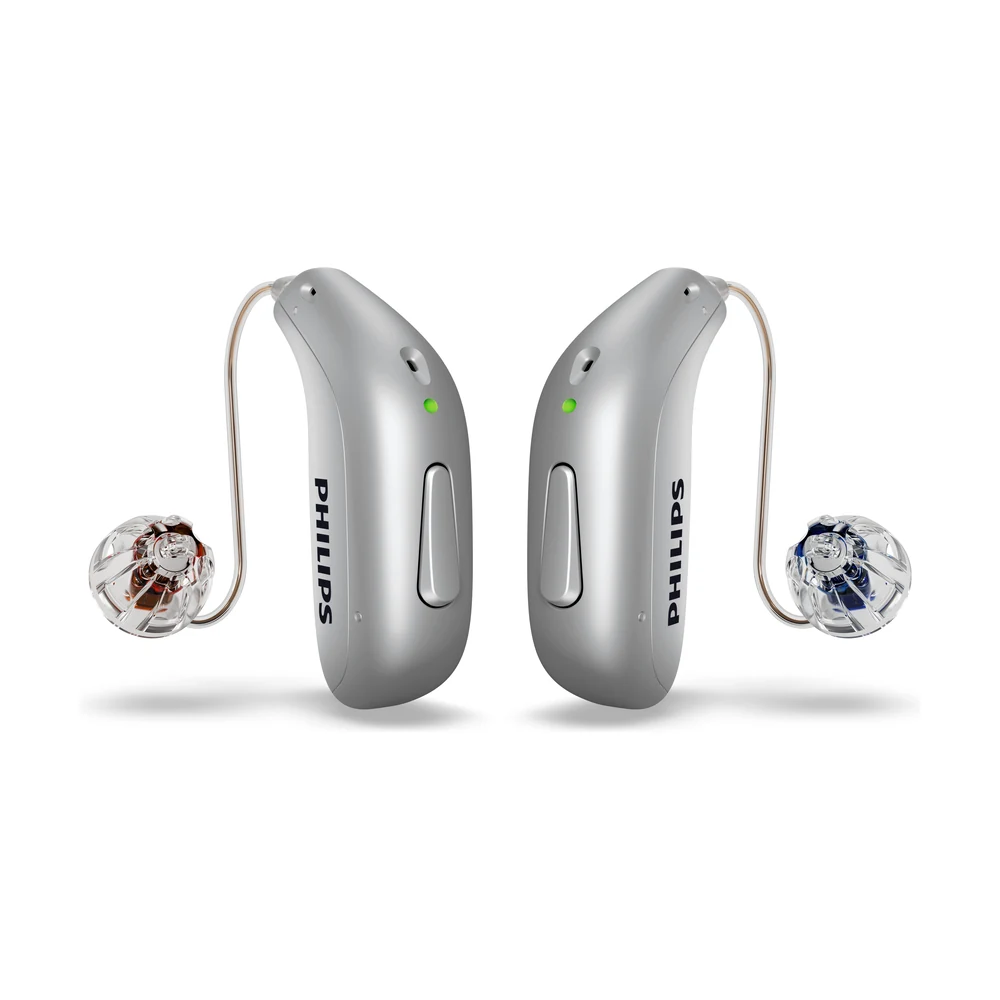
G-Sound is an authorized marketer of Philips hearing aids. Kol Echad (קול אחד) — an authorized marketer through authorized agents nationwide. At G-Sound: help, fitting, accessories, first-line support and coordination of repairs for Philips HearLink hearing aids, nationwide. When a laboratory check is needed, G-Sound coordinates further treatment with the authorized service laboratory for Philips and Oticon in Ramat Gan.
The second of four technology levels in the Philips HearLink series. Here you will find what is marked at 7050 in the Philips table, how it differs from the levels above and below it, and what to check before deciding.
The four levels in one table, and 7050 among them
Philips publishes a technical data document for each HearLink 50 style, with a Feature overview table by level. The table below copies selected rows from that table, from the miniRITE document (270403UK, 21.02.2024) and the miniBTE R document (285251UK, 01.09.2025). In these rows the values are identical in both documents.
| Feature (Philips name) | 9050 | 7050 (this page) | 5050 | 3050 |
|---|---|---|---|---|
| SoundGuide (motion sensor, according to Philips) | ✓ | ✓ | — | — |
| Frequency Bandwidth | 10 kHz | 8 kHz | 8 kHz | 8 kHz |
| Extended Dynamic Range | ✓ | ✓ | — | — |
| Comfort Control | 4 options | 2 options | — | — |
| AI Noise Reduction | 5 options | 4 options | 3 options | 2 options |
| Speech Clarifier | 3 options | 2 options | — | — |
| Transition (between environments) | 4 options | 3 options | 2 options | 1 option |
| SoundProtect Transient Noise Reduction | 6 options | 5 options | 4 options | 2 options |
| Binaural Noise Management | ✓ | ✓ | ✓ | — |
| Dynamic Directionality | ✓ | ✓ | ✓ | — |
| Fitting Bands | 24 | 20 | 18 | 14 |
| Environments | 13 | 11 | 11 | 9 |
| Airplane Program | ✓ | — | — | — |
✓ = marked at this level in the Philips table. "—" = not marked at this level in the same table. "Options" and "fitting bands" are settings the professional works with during the fitting. More options do not guarantee a particular result for a particular person.
How to read the table
- 7050 versus 9050: two things are marked at 9050 and not at 7050, the 10 kHz bandwidth and the Airplane Program. In the other rows the difference is the number of options.
- 7050 versus 5050: SoundGuide, Extended Dynamic Range, Comfort Control and the Speech Clarifier are marked at 7050 and not at 5050. Bandwidth (8 kHz) and the number of environments (11) are the same at both levels.
On sound processing in the series, according to Philips: SoundMap 3 uses AI-based noise reduction and advanced directionality. More in SoundMap 3 and background noise. Comparing levels by need and routine: how to choose between HearLink levels.
What is the same at all four levels, according to the same table
- Four manual listening programs, and a music program (HiFi Music Program).
- Handling of wind noise (SoundProtect Wind Noise Management) and soft sounds (Soft Noise Management).
- Changing volume and program on both hearing aids together (Binaural Volume and Program Change).
- Direct streaming and calls without holding the phone are marked at every level. According to Philips, calls without holding the phone are available on selected devices.
What depends on the style and version, not the level
Each level appears both in the miniRITE document and in the miniBTE R document. But each document describes the connectivity package differently:
- miniRITE (2024 document): SoundTie 3 with LE Audio, MFi and ASHA.
- miniBTE R (2025 document): SoundTie 4 with Bluetooth LE Audio, Auracast broadcasts, MFi and ASHA.
An older document does not prove that a capability is missing, and a document from another market does not prove that it exists in the hearing aid you will receive. So the connection is checked for the specific hearing aid and phone: the phone model, the operating system and its version. Philips refers to the Philips compatibility guide for this.
A practical explanation of the phone, the app and pairing: app, Bluetooth and phone · not connecting to iPhone · not connecting to Android. About the two styles: miniRITE R · miniBTE R.
Who does what
- Philips: the brand. The feature table and the connectivity description on this page are taken from Philips technical data documents, listed under "Product information sources" at the bottom of the page.
- G-Sound: a hearing test at home nationwide, by appointment, choosing the level and style, fitting and adjustments as needed.
- A laboratory check, when needed: G-Sound coordinates further treatment with the authorized service laboratory for Philips and Oticon in Ramat Gan.
What to check before deciding: in which style and version the hearing aid will arrive, and whether your phone is suitable according to the Philips compatibility guide. Availability, style and compatibility are checked with G-Sound for each customer.
How to continue
The choice starts with a professional hearing test. At G-Sound you can arrange a hearing test at home nationwide, by appointment. After the test we go over the places you spend time in, choose a level and style, and do the fitting and adjustments as needed. Questions about HearLink 7050: 055-3333338, by phone or WhatsApp.
Is 7050 the right level for me?
The Philips table shows what is marked at each level. It does not show how much the difference will be felt by a particular person. That is checked after a hearing test, in a conversation about the places where you find it hard to hear, and at the fitting. It is worth coming with a short list of situations from the past week. If you are weighing it against HearLink 9050 or HearLink 5050, go over the rows in which the levels differ and ask which of them relates to you.
All Philips HearLink pages
- Philips HearLink: series page
- HearLink 50 levels and styles
- HearLink 9050
- HearLink 5050
- HearLink 3050
- miniRITE R style
- miniBTE R style
- How to choose and start
- Who HearLink suits
- Philips or Oticon: how to choose
- How visible on the ear
- SoundMap 3 and background noise
- Online hearing test: what it checks
- Fitting and follow-up
- Upgrading from an older Philips
- App, Bluetooth and phone
- Not connecting to iPhone
- Not connecting to Android
- App shows only one hearing aid
- The HearLink button
- TV with HearLink
- HearLink AudioClip
- Accessories and chargers
- Rechargeable and charging
- Charger or Charger Plus
- Care, filters and wax
- Consumable parts
- Troubleshooting and support
- A fault: what to do
- Philips service at G-Sound
- Questions and answers
- Guide for caregivers
- Assisted living and institutions
Product information sources
- Philips — Technical data, HearLink 50 miniRITE (270403UK) · checked 26.10.2026
- Philips — Technical data, HearLink 50 miniBTE R (285251UK) · checked 26.10.2026
- Philips — HearLink 50 miniRITE (product page; instructions for use and technical data are available there) · checked 26.10.2026
- Philips — HearLink 50 miniBTE R (product page) · checked 26.10.2026
- Philips — Compatibility guide · checked 26.10.2026
G-Sound is not the Philips website. Philips is a trademark of Koninklijke Philips N.V. Product information is shown only where it appears in Philips materials; compatibility, style and fit are checked for each customer.
Updated 1 November 2026 · Written by the G-Sound editorial team. Product information is as published by Philips; it does not replace a hearing test or medical advice.
More in English
Frequently asked questions
Questions and answers: HearLink 7050
What is the difference between HearLink 7050 and HearLink 9050?
According to the Philips feature table, two things are marked at 9050 and not at 7050: an amplification bandwidth of 10 kHz (at 7050 it is 8 kHz) and the Airplane Program. In the other rows the difference is in the number of options: AI-based noise reduction (4 at 7050, 5 at 9050), Speech Clarifier (2 versus 3), Comfort Control (2 versus 4), Transition (3 versus 4), SoundProtect Transient Noise Reduction (5 versus 6), fitting bands (20 versus 24) and environments (11 versus 13). SoundGuide and Extended Dynamic Range are marked at both levels.
What is the difference between HearLink 7050 and HearLink 5050?
According to the same table, four features are marked at 7050 and not at 5050: SoundGuide, Extended Dynamic Range, Comfort Control and the Speech Clarifier. In addition, 7050 has one more option in AI-based noise reduction (4 versus 3), Transition (3 versus 2) and SoundProtect Transient Noise Reduction (5 versus 4), and 20 fitting bands versus 18. Bandwidth (8 kHz) and the number of environments (11) are the same at both levels.
Is the difference between the levels significant for me?
The Philips table shows what is marked at each level. It does not show how much the difference will be felt by a particular person. That is checked after a hearing test, in a conversation about the places where you find it hard to hear, and at the fitting. It is worth coming with a short list of situations from the past week.
In which styles is HearLink 7050 presented at G-Sound?
In two rechargeable behind-the-ear styles: miniRITE R, with a speaker inside the canal, and miniBTE R, with a thin tube or a hook. In the Philips feature tables for both styles, the 7050 values in the rows shown on this page are identical. The style is chosen based on the hearing test and the shape of the ear.
Will HearLink 7050 connect to my phone?
In the Philips tables, direct streaming and calls without holding the phone are marked at all four levels, and Philips states that calls without holding the phone are available on selected devices. In practice, the connection depends on the phone model, the operating system and its version, and also on the style and version of the hearing aid. Check the phone in the Philips compatibility guide, and you can also bring it to a conversation at G-Sound and check the connection.
Why are there no percentages of speech-understanding improvement for each level here?
The Philips tables we checked show markings and numbers of options, not a measure of speech understanding by level. So we do not show percentages, rankings or promises. What can be checked is how the hearing aid works for you, at the fitting and in the adjustments after it.
Please do not send sensitive medical information in a message. We go over the relevant details on the phone.
Want help choosing a model?
Tell us briefly what matters to you, and we will help you understand which HearLink model suits you.
Call G-Sound about a Philips HearLink hearing aid.
055-3333338