For caregivers and family members · miniRITE R
A guide for caregivers: inserting, removing and charging Philips HearLink
G-Sound is an authorized marketer of Philips hearing aids. Kol Echad (קול אחד) — an authorized marketer through authorized agents nationwide. At G-Sound: help, fitting, accessories, first-line support and coordination of repairs for Philips HearLink hearing aids, nationwide. When a laboratory check is needed, G-Sound coordinates further treatment with the authorized service laboratory for Philips and Oticon in Ramat Gan.
Are you helping someone close to you with their hearing aids? This guide goes over the daily actions step by step, according to the Philips instructions for use.
First of all: right or left
According to Philips, a red mark indicates the right hearing aid and a blue mark the left. Check it every time, because each hearing aid may be programmed differently. Hold the hearing aids over a soft surface, such as a towel on the table, so they are not damaged if dropped.
Inserting: three steps
- Behind the ear. Place the body of the hearing aid behind the ear. According to Philips, always use the speaker with a dome attached.
- Hold the wire. Hold the bend of the speaker wire between your thumb and index finger, with the dome facing the canal opening.
- Push gently. Push the dome in gently, until the wire lies flat against the head. If the speaker has an ear grip, position it along the contours of the ear.
It is worth practising a few times while the person you support is sitting comfortably. If inserting is difficult every time, tell us; there are things we can check.
Removing, and one important check
Take the hearing aid from behind the ear, and gently pull the speaker wire. According to Philips, after removing it check that the dome is still attached to the speaker. If it is not on the speaker, it may have stayed in the canal. In that case, according to Philips, contact a hearing care professional.
Switching on, off, and signals
- On: according to Philips, the hearing aid switches on when you take it out of the charger, or with a press of about two seconds. The light is green.
- Off: a press of about three seconds. An orange light and four descending tones.
- Low battery: according to Philips, three alternating tones. When the battery runs out, four descending tones sound.
The person you support hears the tones, and you do not. Ask them to tell you when they hear tones like these. What to check when something does not work: troubleshooting and support.
Charging in the evening
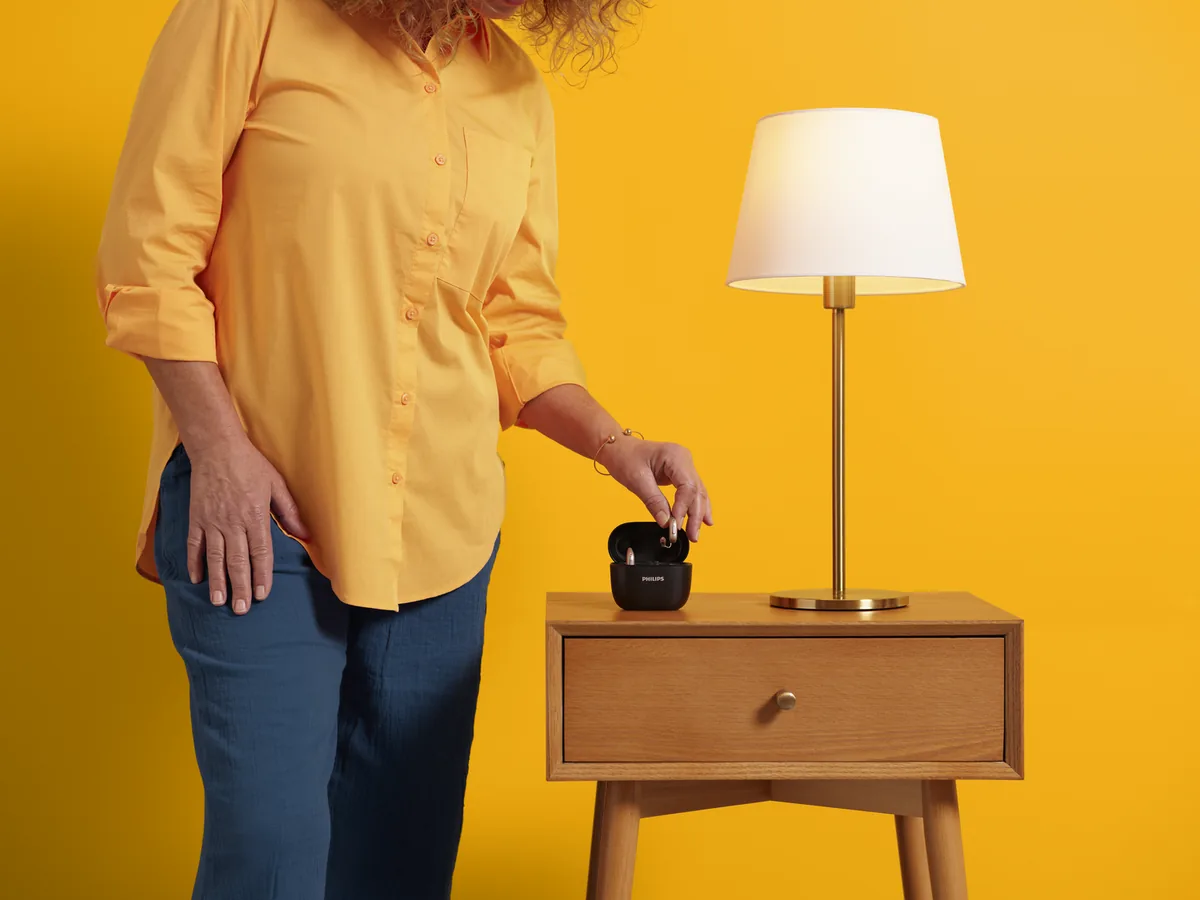
According to Philips, charge every night, so the day starts with charged hearing aids. Before placing the hearing aids in the charger, wipe moisture off them. Make sure they sit correctly in the slots and that the charger is plugged in. According to Philips, if the charger was disconnected from the mains during charging, the hearing aids may switch off. In the morning, switch them on with the button. More: rechargeable and charging.
A short clean every evening
- According to Philips, wipe the hearing aid with a soft, dry cloth. Never rinse it or immerse it in water.
- Clean the microphone openings with the brush of the cleaning tool, gently and without pushing in.
- A dome full of wax is replaced with a new one. It is not cleaned.
The full guide: care and cleaning.
Signs of a problem
According to the Philips troubleshooting table:
- No sound: the hearing aid is not charged. Charge it.
- Weak or intermittent sound: a blocked dome or filter. Replace it.
- Whistling: the dome was not inserted correctly. Insert it again.
Also watch for changes in behaviour: the person turns the TV up, asks you to repeat things, or takes the hearing aid off during the day. These are good reasons to talk to us.
Guides for families: hearing aid care for home caregivers · hearing aids for elderly parents.
All Philips HearLink pages
- Philips HearLink: series page
- HearLink 50 levels and styles
- HearLink 9050
- HearLink 7050
- HearLink 5050
- HearLink 3050
- miniRITE R style
- miniBTE R style
- How to choose and start
- Who HearLink suits
- Philips or Oticon: how to choose
- How visible on the ear
- SoundMap 3 and background noise
- Online hearing test: what it checks
- Fitting and follow-up
- Upgrading from an older Philips
- App, Bluetooth and phone
- Not connecting to iPhone
- Not connecting to Android
- App shows only one hearing aid
- The HearLink button
- TV with HearLink
- HearLink AudioClip
- Accessories and chargers
- Rechargeable and charging
- Charger or Charger Plus
- Care, filters and wax
- Consumable parts
- Troubleshooting and support
- A fault: what to do
- Philips service at G-Sound
- Questions and answers
- Assisted living and institutions
Product information sources
- Philips — HearLink 50 miniRITE (product page; instructions for use and technical data are available there) · checked 20.10.2026
G-Sound is not the Philips website. Philips is a trademark of Koninklijke Philips N.V. Product information is shown only where it appears in Philips materials; compatibility, style and fit are checked for each customer.
Updated 1 November 2026 · Written by the G-Sound editorial team. Product information is as published by Philips; it does not replace a hearing test or medical advice.
More in English
Frequently asked questions
Questions and answers
How do I put Philips HearLink into the ear?
According to Philips, place the hearing aid behind the ear, hold the bend of the speaker wire between thumb and finger, and gently push the dome into the canal until the wire lies flat against the head.
What if the dome did not come out with the hearing aid?
According to Philips, if the dome is not on the speaker after removal, it may have stayed in the canal, and you should contact a hearing care professional.
How do I know which is right and which is left?
According to Philips, a red mark indicates the right hearing aid and a blue mark the left.
How often do I charge?
According to Philips, every night. Wipe off moisture before charging, and make sure the charger is plugged in and the hearing aids sit in it correctly.
When should I contact G-Sound?
When the simple checks do not help, when the hearing aid was dropped, got wet or sounds different, or when it is hard to insert and remove. Call or WhatsApp 055-3333338.
Please do not send sensitive medical information in a message. We go over the relevant details on the phone.
Questions about Philips HearLink?
Tell us briefly what matters to you, and we will help you work out what fits. Service is by appointment.
Call G-Sound about a Philips HearLink hearing aid.
055-3333338