Rechargeable · miniRITE R and miniBTE R
Rechargeable Philips HearLink: chargers and charging habits
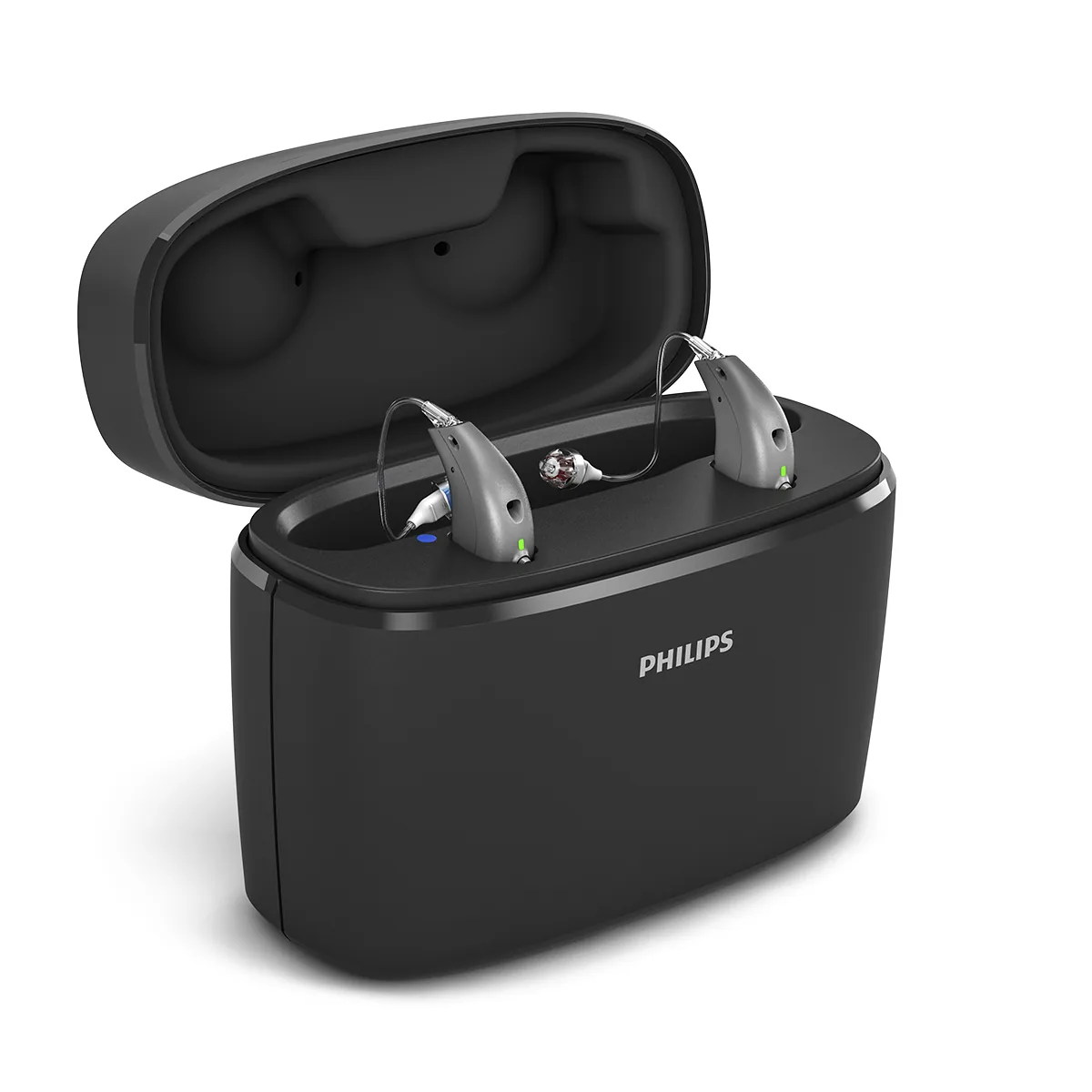
G-Sound offers Philips hearing aids.
A practical guide to rechargeable HearLink hearing aids: the two kinds of charger, the battery, charging habits, and what is worth knowing about use time.
Two kinds of charger
Desktop charger (Philips Charger)
According to Philips, you place the hearing aids in the desktop charger and charging starts automatically. Philips states that you can leave the hearing aids in the charger overnight and wake up with charged hearing aids for the day. There is a desktop charger for miniRITE and a desktop charger for miniBTE R.
Portable charger (Philips Charger Plus)
According to Philips, Charger Plus has a built-in battery that is enough for three full charges of two hearing aids, so you can charge in it without a mains connection, for example while travelling or on holiday. It also comes in a version for miniRITE and a version for miniBTE R.
The chargers are designed for a specific style. According to the Philips instructions for use, charge only in the charger designed for the hearing aid; another charger may damage the hearing aid and the battery. The full charger list: accessories and chargers.
The battery itself
According to Philips documents, these styles have a rechargeable lithium-ion battery. In the miniRITE style it is built in and not removable. In other words, there are no small batteries to change: you charge the hearing aid in the charger, like a phone. Weighing rechargeable against replaceable batteries? A general guide: rechargeable hearing aids.
How long does a charge last?
This question comes up in almost every conversation. The honest answer: it depends. Actual use time depends on how you use the hearing aids and on audio streaming; phone calls, music and TV through the hearing aid use more. So we do not publish a number of hours here. In the consultation we go over your habits and what the manufacturer's documents say. According to Philips, you can see the battery status in the Philips HearLink 2 app.
Charging habits that work
- Charge every night, as part of the routine, like a phone.
- Leave the desktop charger plugged in, in a fixed, dry place.
- Before placing the hearing aids in the charger, gently wipe moisture off them with a soft, dry cloth.
- Keep the charging surfaces clean. According to Philips, clean them with a dry cloth.
- Do not leave the hearing aids in the sun by a window or in a car, even when they are in the charger.
- When travelling, take Charger Plus, and remember to charge it too.
The hearing aid does not switch on after charging?
According to the Philips instructions for use for the miniRITE style, if the charger is disconnected from the mains or its battery runs out during charging, the hearing aids may switch off to save power. If they do not switch on when you take them out of the charger, switch them on manually with the button. According to Philips, if charging was not completed, return the hearing aid to the charger. More checks: troubleshooting and support.
Long-term storage
According to the Philips instructions for use, if you will not use the hearing aids for a long period, charge them fully and then switch them off, and charge them fully again every six months.
Questions before choosing
If you travel a lot, or have no regular access to power during the day, it is worth talking about the portable charger in the consultation. If you find small items hard to handle, check at the appointment how to put the hearing aids into the charger and take them out.
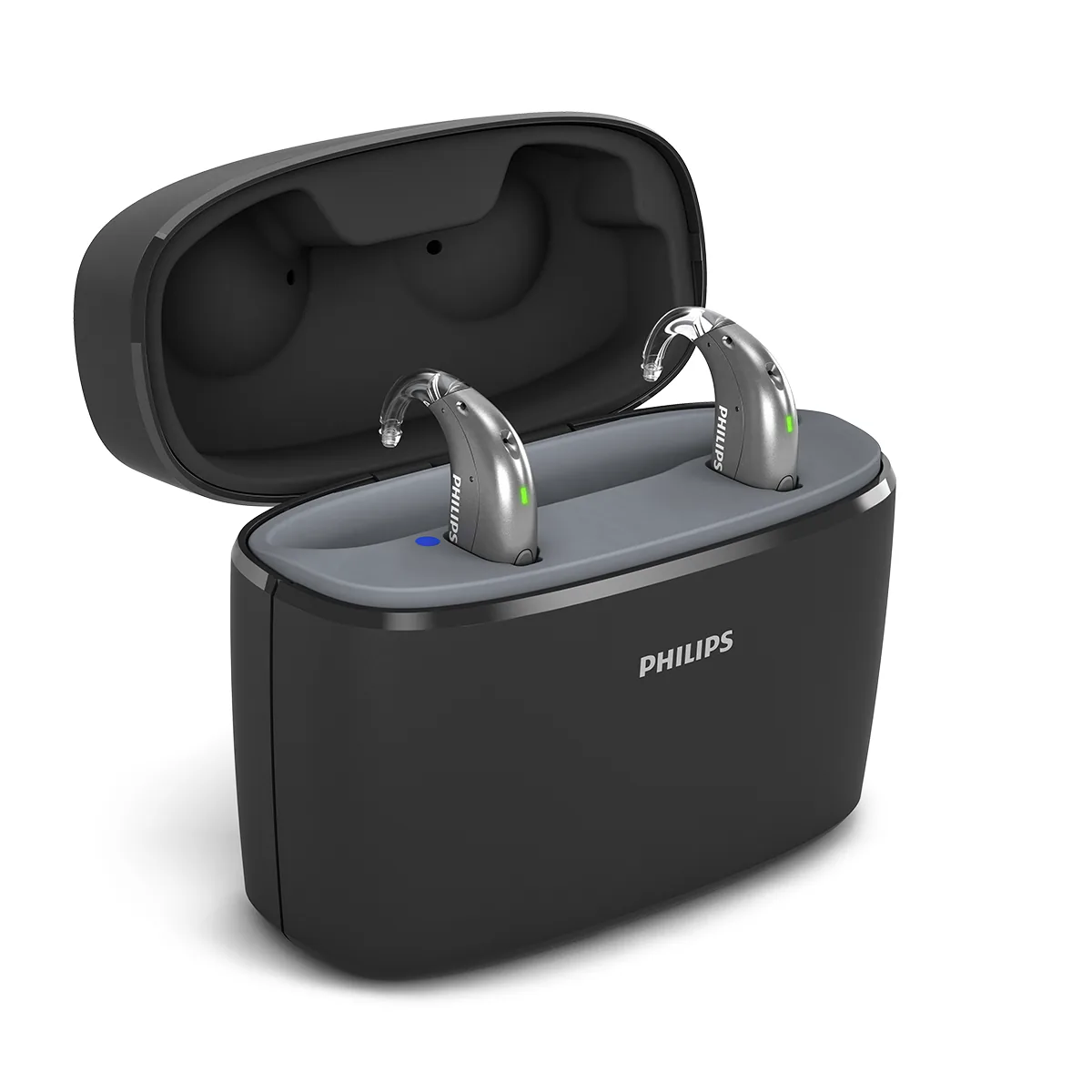
Charger Plus for miniBTE R.
All Philips HearLink pages
- Philips HearLink: series page
- HearLink 50 levels and styles
- HearLink 9050
- HearLink 7050
- HearLink 5050
- HearLink 3050
- miniRITE R style
- miniBTE R style
- How to choose and start
- Who HearLink suits
- Philips or Oticon: how to choose
- How visible on the ear
- SoundMap 3 and background noise
- Online hearing test: what it checks
- Fitting and follow-up
- Upgrading from an older Philips
- App, Bluetooth and phone
- Not connecting to iPhone
- Not connecting to Android
- App shows only one hearing aid
- The HearLink button
- TV with HearLink
- HearLink AudioClip
- Accessories and chargers
- Charger or Charger Plus
- Care, filters and wax
- Consumable parts
- Troubleshooting and support
- A fault: what to do
- Philips service at G-Sound
- Questions and answers
- Guide for caregivers
- Assisted living and institutions
Product information sources
- Philips — Charger · checked 20.10.2026
- Philips — Charger Plus · checked 20.10.2026
- Philips — HearLink 50 miniRITE (product page; instructions for use and technical data are available there) · checked 20.10.2026
- Philips — HearLink 50 miniBTE R (product page) · checked 20.10.2026
- Philips — HearLink 2 app · checked 20.10.2026
G-Sound is not the Philips website. Philips is a trademark of Koninklijke Philips N.V. Product information is shown only where it appears in Philips materials; compatibility, style and fit are checked for each customer.
Updated 1 November 2026 · Written by the G-Sound editorial team. Product information is as published by Philips; it does not replace a hearing test or medical advice.
More in English
Frequently asked questions
Questions and answers
How many hours does a HearLink charge last?
Actual use time depends on how you use the hearing aids and on audio streaming. So we do not publish a number of hours. In the consultation we go over your habits and what the manufacturer's documents say.
What is the difference between the desktop charger and Charger Plus?
According to Philips, in the desktop charger charging starts automatically when you place the hearing aids in it, and it suits charging overnight. Charger Plus has a built-in battery, so you can charge in it without a mains connection.
Is there a battery to change in HearLink miniRITE R?
No. According to Philips documents, the miniRITE style has a rechargeable lithium-ion battery that is built into the hearing aid and is not removable. You charge the hearing aid in the charger designed for the style.
The hearing aids did not switch on when I took them out of the charger. What should I do?
According to the Philips instructions for use for the miniRITE style, if the charger was disconnected from the mains or its battery ran out during charging, the hearing aids may switch off to save power. In that case, switch them on manually with the button. If that does not help, contact us on 055-3333338.
Can I charge them in another brand's charger?
No. According to the Philips instructions for use, charge only in the charger designed for the hearing aid. Another charger may damage the hearing aid and the battery.
Please do not send sensitive medical information in a message. We go over the relevant details on the phone.
Questions about Philips HearLink?
Tell us briefly what matters to you, and we will help you work out what fits. Service is by appointment.
Call G-Sound about a Philips HearLink hearing aid.
055-3333338