Start with your style
- miniRITE R: a small body behind the ear and a speaker in the ear canal; rechargeable.
- miniBTE R: behind the ear, with a hook or a thin tube; rechargeable.
Both come in four technology levels, 9050, 7050, 5050 and 3050. The full comparison is in HearLink 50 styles and levels.
Chargers: two for each style
| Charger (Philips name) | For | Type |
|---|---|---|
| Philips Charger miniRITE | HearLink 50 miniRITE R | Desk charger; charging starts when you place the aids in it; designed for overnight use |
| Philips Charger Plus miniRITE | HearLink 50 miniRITE R | Portable charger with a built-in power bank |
| Philips Charger miniBTE R | HearLink 50 miniBTE R | Desk charger |
| Philips Charger Plus miniBTE R | HearLink 50 miniBTE R | Portable charger with a built-in power bank |
Charging time varies by model, battery condition and use. Check the instructions for your specific model.
Upgrading from an older Philips aid? Philips lists separate chargers for earlier generations, such as the Charger miniRITE T R for HearLink 40 and 30. Do not assume an old charger works with HearLink 50; send us both model names and we will check. Travelling? See flying with hearing aids.
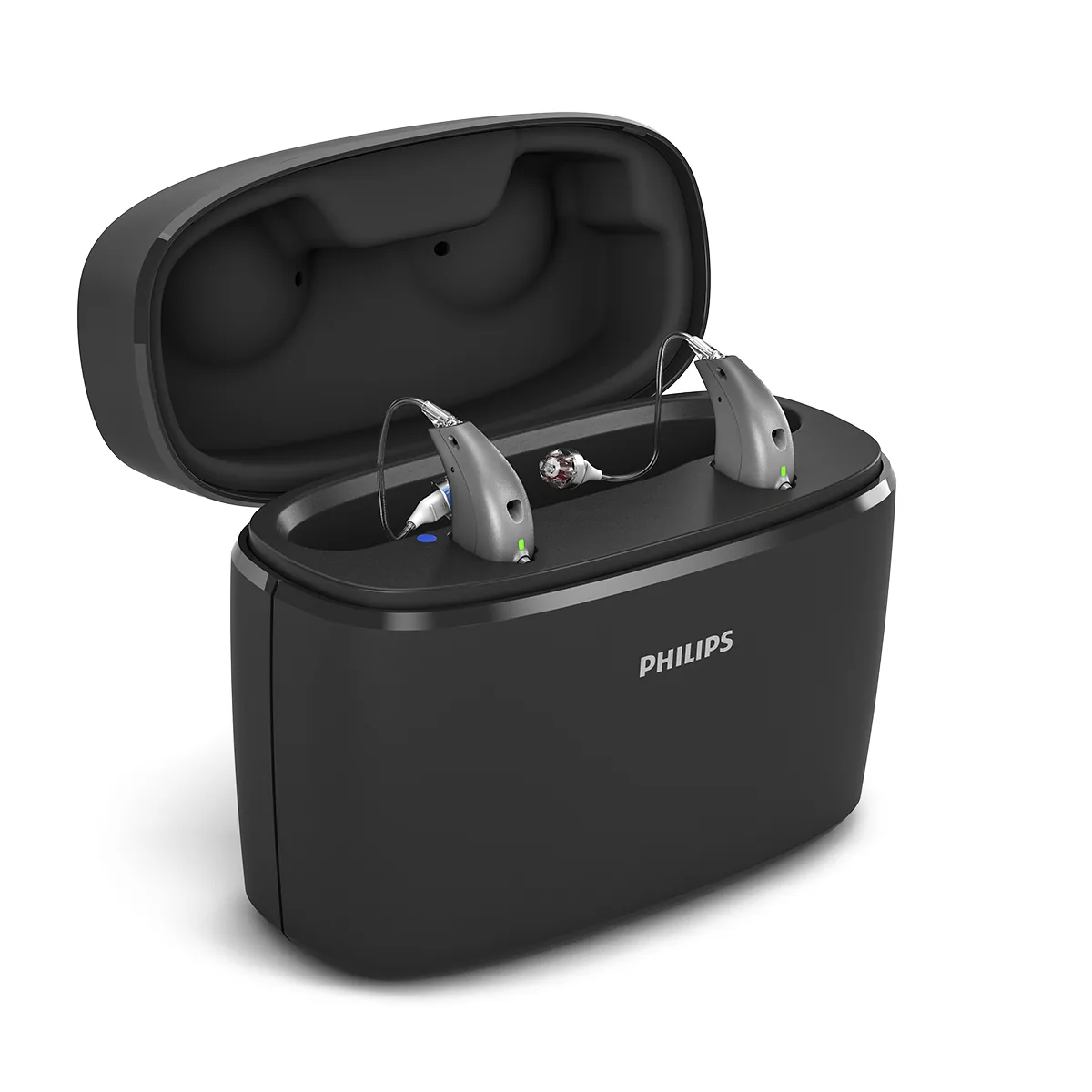
Charger Plus for miniRITE R
Portable, with a built-in power bank.
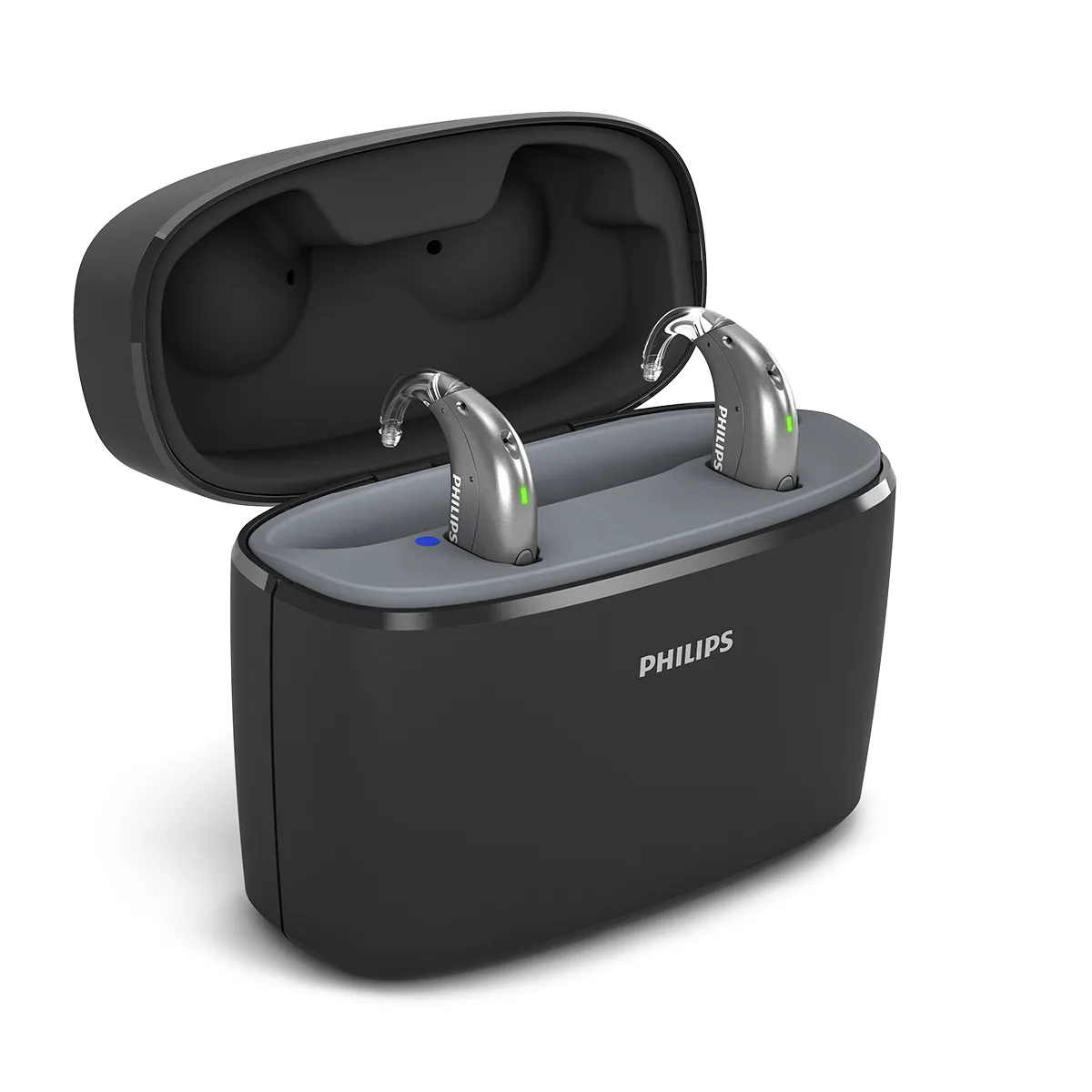
Charger Plus for miniBTE R
A separate version for the miniBTE R style.
AudioClip: one voice, closer
According to Philips, the AudioClip is a remote microphone you can clip onto another person, so their voice goes straight to your hearing aids. It also works as a hands-free headset for calls with iPhone and Android, with a button to answer calls and change the volume, and it enables streaming for hearing aids that need it.
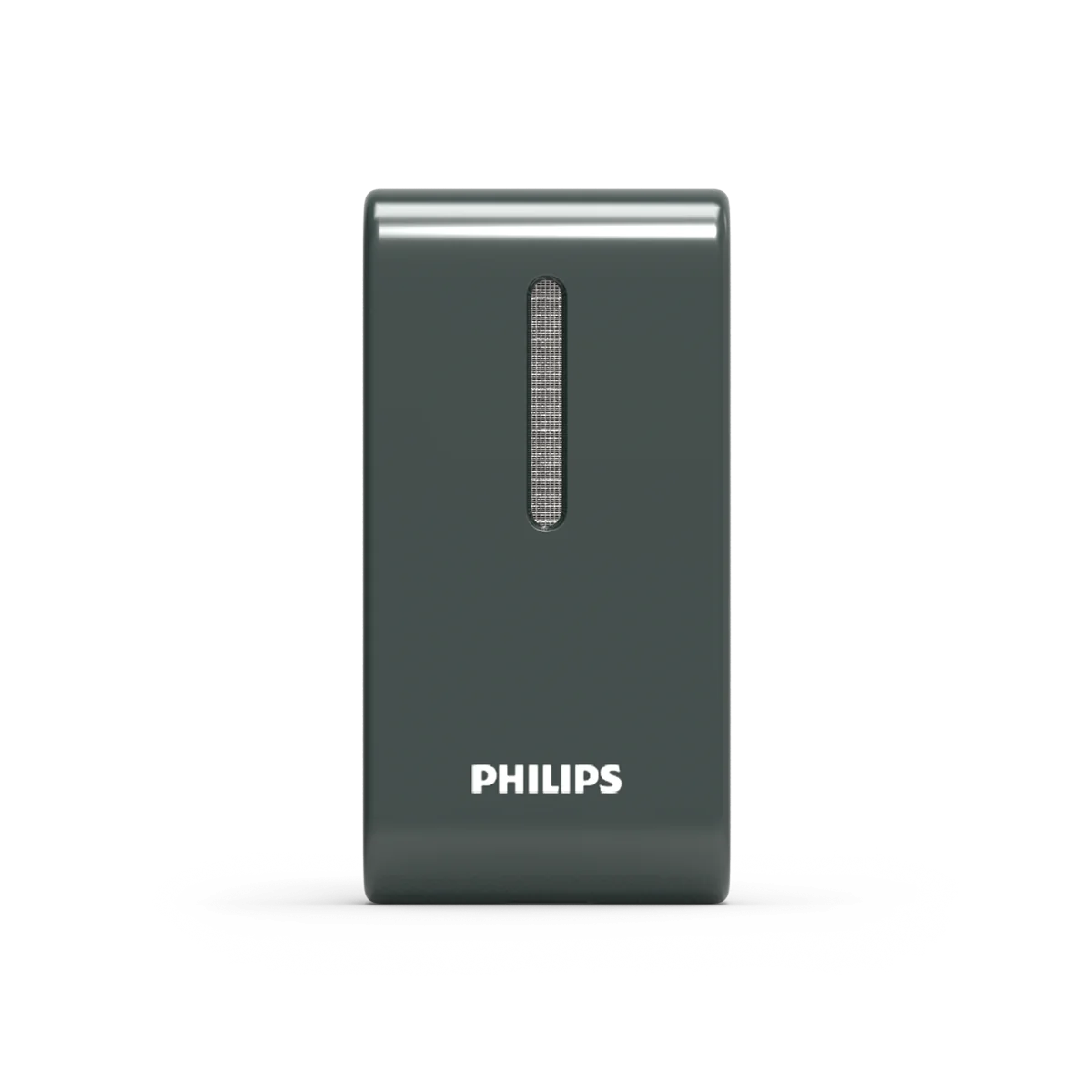
AudioClip
Remote microphone and hands-free calls, per Philips.
It helps when one voice matters most: a partner across a restaurant table, a speaker at a meeting, a grandchild moving around the room. See hearing aids in noisy places.
TV Adapter: your own volume
According to Philips, the Philips HearLink TV Adapter connects to the television and sends the TV sound directly to your hearing aids, so you can listen at your own volume. It is listed as an accessory in the HearLink 50 technical data. Before ordering, check which audio outputs your TV has; our guide hearing aids and watching TV explains what to look for.
Easy LE Adapter: Android and computers without LE Audio
According to Philips, the Easy LE Adapter is a USB-C adapter for Android phones and smart devices without LE Audio. It lets you stream and take hands-free calls on hearing aids that support LE Audio, such as HearLink, and offers pass-through charging. According to the manufacturers, most devices with only a 3.5 mm headphone jack will not work with it, and it is not intended for iPhone, iPad or Mac. If your phone used to connect and has stopped, start with hearing aids not connecting to your phone.
Remote Control and the HearLink 2 app
Philips also lists a Remote Control among the HearLink 50 accessories. Its functions are not described on the pages we checked, so ask us what it does with your model. Philips lists the HearLink 2 app for both styles.
Which accessory for which problem?
| If your difficulty is… | Look at | Also read |
|---|---|---|
| One voice in noise or at a distance | AudioClip | Noisy places |
| Phone calls | Direct phone connection first, then AudioClip | Phone calls |
| TV dialogue | TV Adapter | Watching TV |
| Android or computer without LE Audio | Easy LE Adapter | Accessories and connectivity |
| Charging away from home | Charger Plus for your style | Rechargeable hearing aids |
| Everything sounds wrong, even in quiet | Not an accessory: an adjustment | Follow-up and adjustments |
How we check before you order
- Tell us your model and style, for example HearLink 7050 miniRITE R.
- Tell us what you want to fix: TV, calls, noise or travel.
- For phone-related accessories, tell us your phone model.
- We confirm the fit and explain the next steps in English.
G-Sound offers Philips hearing aids. G-Sound provides first-line customer support for Philips hearing aids, including help with device use, app connectivity, cleaning, wax filters, accessories and basic troubleshooting. When a repair requires manufacturer laboratory service, the device is routed to Philips’s separate authorized laboratory. This is not Philips’ official website.
Sources
- Philips HearLink AudioClip (670426) — checked 14 October 2026
- Philips HearLink TV Adapter (215546) — checked 14 October 2026
- Philips Charger (905061) — checked 14 October 2026
- Philips Charger Plus (905063) — checked 14 October 2026
- Philips Charger Compatibility Overview (2025.04.23) — checked 14 October 2026
- Philips Easy LE Adapter (728458) — checked 14 October 2026
- Technical Data HearLink 50 miniRITE (270403UK) — checked 14 October 2026
- Technical Data HearLink 50 miniBTE R (285251UK) — checked 14 October 2026
Updated 22 October 2026 · Written by the G-Sound editorial team. General information only; it does not replace a hearing assessment or medical advice.
Frequently asked questions
Will my old Philips charger work with HearLink 50?
Probably not. Philips lists separate chargers for HearLink 50 and for earlier generations such as HearLink 40 and 30. Send us both model names and we will check.
Is there one charger for both HearLink 50 styles?
No. According to Philips, the miniRITE R and the miniBTE R each have their own Charger and Charger Plus.
How long does charging take?
Charging time varies by model, battery condition and use. Check the instructions for your specific model.
Do I need the Easy LE Adapter for my iPhone?
According to Philips and Oticon, the adapter is not intended for iPhone, iPad or Mac.
Can AudioClip be used for phone calls?
Yes. Philips describes it as both a remote microphone and a hands-free headset for iPhone and Android calls.