TV accessory · Ordering through G-Sound
Philips TV Adapter: what it does and how to get it
G-Sound is an authorized marketer of Philips hearing aids. Kol Echad (קול אחד) — an authorized marketer through authorized agents nationwide. At G-Sound: help, fitting, accessories, first-line support and coordination of repairs for Philips HearLink hearing aids, nationwide. When a laboratory check is needed, G-Sound coordinates further treatment with the authorized service laboratory for Philips and Oticon in Ramat Gan.
All Philips products, including hearing aids, parts, chargers and accessories, can be ordered through G-Sound.
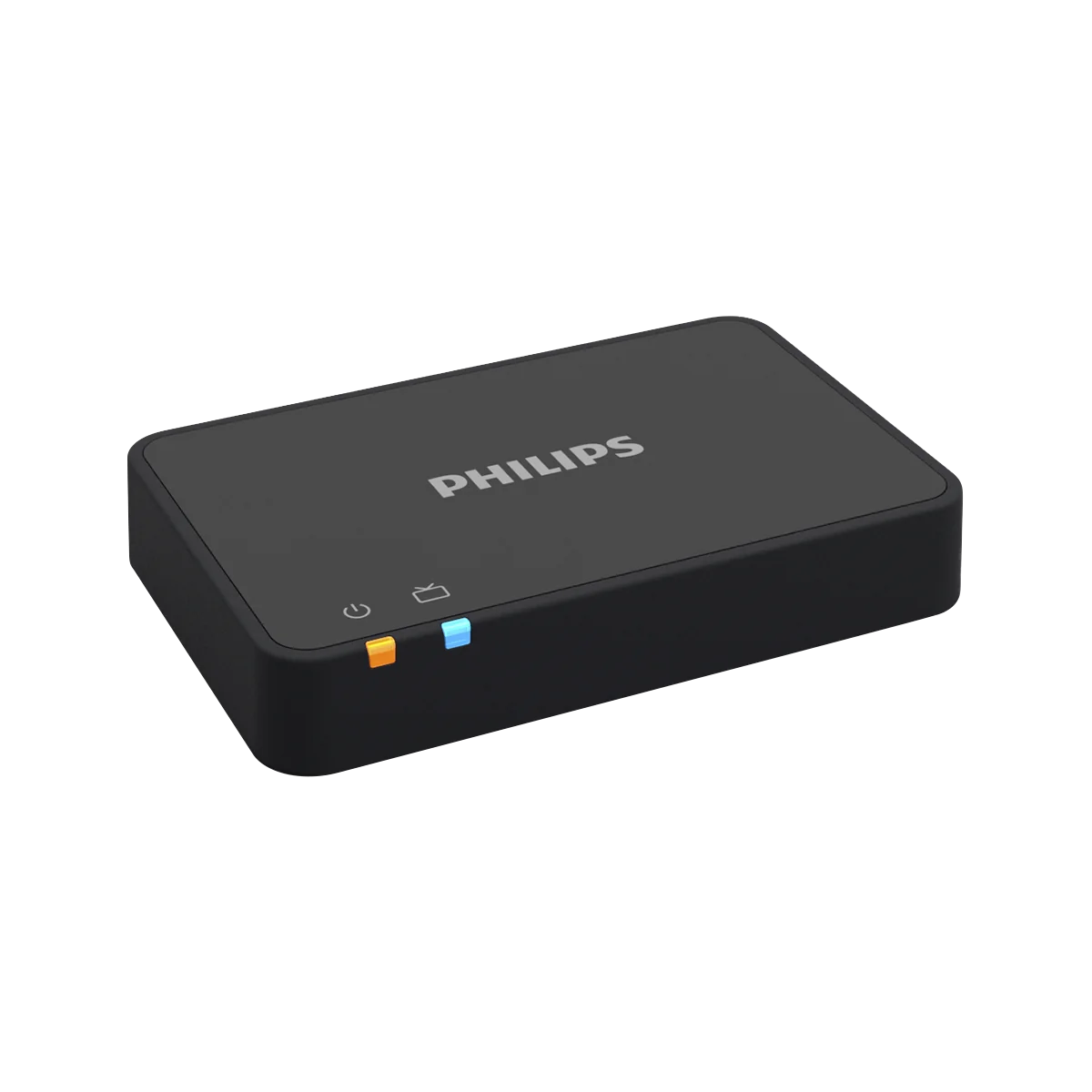
The Philips accessory that sends the TV sound straight to HearLink hearing aids. What it does according to Philips, and how to order it through us.
What the TV Adapter does, according to Philips
- It sends the sound from the TV straight to the hearing aids.
- It lets you watch TV at your preferred volume.
- It lets you turn the TV volume down or off and still hear the sound in the hearing aids.
- When you switch to the TV program on the hearing aids, dedicated TV sound settings are activated.
- According to Philips, in the Philips HearLink 2 app you can change the volume and choose a program.
Which hearing aids it is for
According to Philips, the TV Adapter appears in the accessory list of HearLink 50 miniRITE and HearLink 50 miniBTE R. Philips accessories are designed for Philips hearing aids, and compatibility is checked by model and style. Another manufacturer's adapter is not designed for Philips hearing aids.
How to order the TV Adapter through G-Sound
- Call or WhatsApp us on 055-3333338.
- Tell us the model and style of your hearing aids, miniRITE R or miniBTE R. If you are not sure, we will find out together.
- Take a photo of the back of the TV, so the connections can be checked.
- We check compatibility with your model and TV together, and only then order.
- Connecting it to the TV and pairing it with the hearing aids is done with you, by model.
Up-to-date ordering details are given when you contact us.
What to check before ordering
- The connections on the back of the TV: take a photo of the back of the TV.
- The model and style of the hearing aids: compatibility is checked by model.
- Who else watches: whether others at home want to hear the TV speakers at the same time. If the adapter is connected to a headphone output, the speakers may be muted. It is checked by output.
- Control: in the Philips HearLink 2 app.
Installation and pairing
The TV Adapter connects to the TV, and it usually also has to be paired with the hearing aids. At G-Sound we connect and pair it with you, by model, and explain how to switch to the TV program and back.
Watching TV at home with HearLink
Common situations at home, watching alone or together, and what to do without a TV Adapter: TV with Philips HearLink. All Philips accessories: accessories and chargers.
All Philips HearLink pages
- Philips HearLink: series page
- HearLink 50 levels and styles
- HearLink 9050
- HearLink 7050
- HearLink 5050
- HearLink 3050
- miniRITE R style
- miniBTE R style
- How to choose and start
- Who HearLink suits
- Are Philips hearing aids good?
- Philips or Oticon: how to choose
- How visible on the ear
- SoundMap 3 and background noise
- Online hearing test: what it checks
- Fitting and follow-up
- Upgrading from an older Philips
- App, Bluetooth and phone
- Not connecting to iPhone
- Not connecting to Android
- App shows only one hearing aid
- The HearLink button
- TV with HearLink
- HearLink AudioClip
- Accessories and chargers
- Rechargeable and charging
- Charger or Charger Plus
- Care, filters and wax
- How to clean HearLink
- Consumable parts
- Troubleshooting and support
- A fault: what to do
- Philips service at G-Sound
- Questions and answers
- Guide for caregivers
- Assisted living and institutions
Product information sources
- Philips — HearLink TV Adapter · checked 20.10.2026
- Philips — HearLink 50 miniRITE · checked 20.10.2026
- Philips — HearLink 50 miniBTE R · checked 20.10.2026
- Philips — HearLink 2 app · checked 20.10.2026
G-Sound is not the Philips website. Philips is a trademark of Koninklijke Philips N.V. Product information is shown only where it appears in Philips materials; compatibility, style and fit are checked for each customer.
Updated 1 November 2026 · Written by the G-Sound editorial team. Product information is as published by Philips; it does not replace a hearing test or medical advice.
More in English
Frequently asked questions
Questions and answers
How do I order a TV Adapter for Philips HearLink?
Through G-Sound, by phone or WhatsApp on 055-3333338. All Philips products, including hearing aids, parts, chargers and accessories, can be ordered through G-Sound. Tell us your hearing aid model, and we check compatibility before ordering.
Does the TV Adapter work with any hearing aid?
No. Philips accessories are designed for Philips hearing aids. According to Philips, the TV Adapter appears in the accessory list of HearLink 50 miniRITE and HearLink 50 miniBTE R, and compatibility is checked by model and style.
Do I need to install anything to use the TV Adapter?
The TV Adapter connects to the TV, and it usually also has to be paired with the hearing aids. At G-Sound we connect and pair it with you, by model.
Will the others at home still hear the TV?
Yes, if you want. According to Philips, you can turn the TV speakers down or off and still hear through the hearing aids, but you can also leave them on. If the adapter is connected to a headphone output, the speakers may be muted.
How do I control the TV volume in the hearing aids?
According to Philips, in the Philips HearLink 2 app you can change the volume and choose a program.
Please do not send sensitive medical information in a message. We go over the relevant details on the phone.
Questions about Philips HearLink?
Tell us briefly what matters to you, and we will help you work out what fits. Service is by appointment.
Call G-Sound about a Philips HearLink hearing aid.
055-3333338