Phones · iPhone · Android
Philips HearLink: which phones are compatible, and how to check your phone
Want to know whether your phone will work with Philips HearLink for calls and streaming? Here you will find what Philips states for each style, how to check your specific phone, and what to do when it is not clear whether it is suitable.
Step 1: identify which style you have
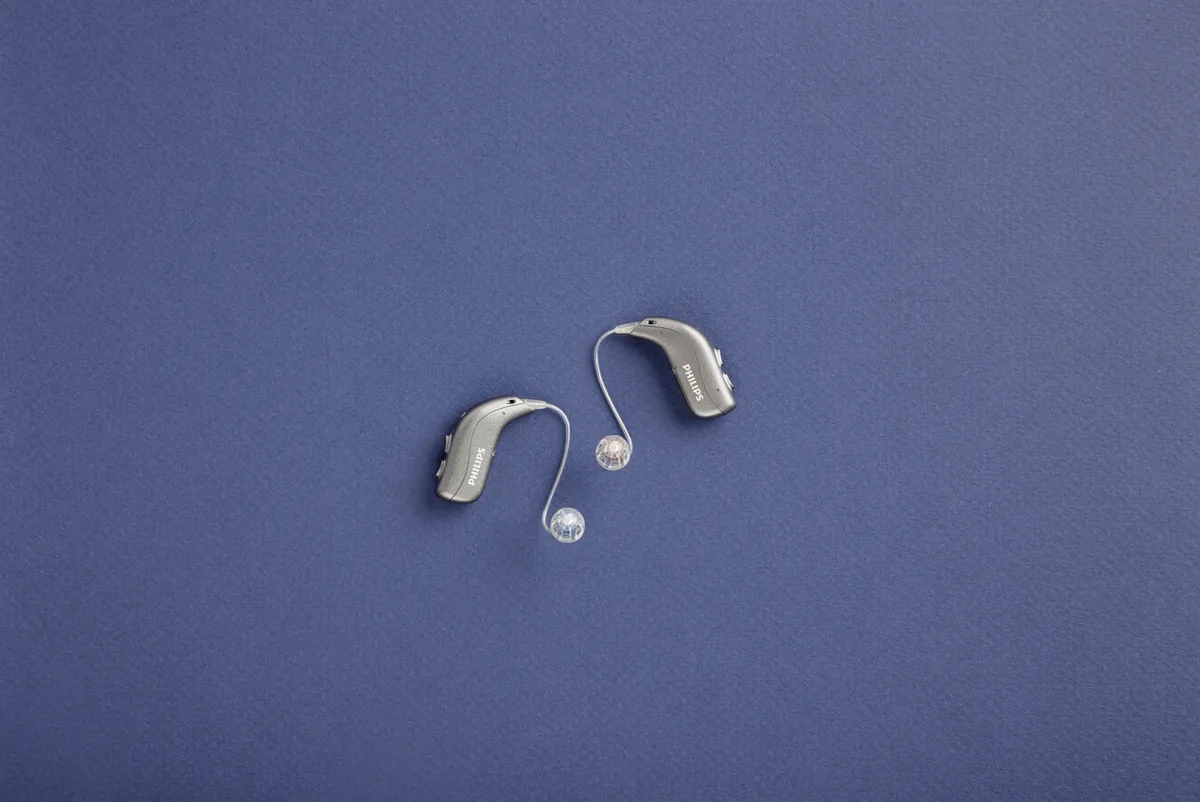
HearLink 50 comes in two rechargeable styles: miniRITE R and miniBTE R. The four levels, 9050, 7050, 5050 and 3050, exist in both. Connectivity is not identical between the styles, so start by identifying yours. If you are not sure which style you have, you can ask us by phone. That way you know what to check, and you can describe the case precisely if you need help.
What appears in the Philips technical data for each style
| Topic | miniRITE R | miniBTE R |
|---|---|---|
| Connection technology according to Philips | SoundTie 3 | SoundTie 4 |
| Bluetooth LE Audio | Listed | Listed |
| MFi (Made for iPhone) | Listed | Listed |
| ASHA | Listed | Listed |
| Calls without holding the phone | With selected devices | According to the manufacturer's guide |
| Auracast | Not listed in the technical data | Listed |
| App | HearLink 2 | HearLink 2 |
The table summarises what appears in Philips documents. It does not say whether a particular phone will work with your hearing aids.
Step 2: collect the phone details and check compatibility
- Write down the exact model name of the phone. It usually appears in the settings, on the "About" screen.
- Write down the operating system version installed on it.
- Check compatibility against the manufacturer's guide, or call us on 055-3333338 with these details.
- If a software update is needed, update the phone before pairing, not after.
- Keep a screenshot of the "About" screen. If you need to contact us, it will save time.
Step 3: iPhone or Android, what is different
The three terms in the table are three different ways to connect the hearing aids to the phone. MFi is relevant to iPhone and iPad. ASHA is relevant to Android phones that support it. LE Audio is relevant to any phone or device that supports Bluetooth LE Audio. According to Philips documents, HearLink 50 supports all three, but for the connection to work, the phone also has to support at least one of them.
Android has many makers and models, so it is worth checking your specific model rather than relying on a similar one. For details on what each function needs, see also the page Philips HearLink: app, Bluetooth and phone.
Step 4: calls without holding the phone: what to check
In such a call, you hear the call in the hearing aids without holding the phone to your ear. According to the Philips technical data for miniRITE R, this option is available with selected devices. So the important test is a call, not only music:
- Call someone you know and listen to them in the hearing aids.
- Ask them to tell you how they hear you.
- Check both in a quiet room and in a place with background noise.
- Check an incoming call and an outgoing call.
Step 5: changing phones, or not sure whether it is compatible
Before changing your phone, it is worth checking compatibility: against the manufacturer's guide or with us on 055-3333338. Check before buying, not after. If it is not clear whether the phone is suitable, you can try it, but do not rely on it for important calls until you have checked.
Another option is AudioClip. According to Philips, it is a remote microphone that also allows calls without holding the phone, with iPhone and Android. Whether it suits your phone and hearing aid is in the manufacturer's guide, or ask us. Details on the page Philips AudioClip.
Already paired and something does not work? There are separate guides: Not connecting to iPhone · Not connecting to Android.
How G-Sound helps
G-Sound is an authorized marketer of Philips hearing aids. Anything related to Philips can be ordered through us. When you contact us, tell us the hearing aid model, the phone model and software version, and what exactly does not work: streaming, calls or the app. Before buying, it is worth bringing your phone to the hearing test and demonstration and trying a real call on it. At G-Sound: home hearing tests nationwide, by appointment. All Philips products, including hearing aids and accessories, can be ordered through G-Sound. The whole series is on the page Philips HearLink.
Related guides
- First connection of Philips HearLink to a phone: after checking compatibility, this is how to pair the first time.
- The Philips HearLink 2 app: installing, and what to check when it does not see the hearing aids.
- Philips HearLink user guide: where to find it and what to check in it.
English version: 4 November 2026 · Written by the G-Sound editorial team. The information is general and does not replace the manufacturer's guide, a check-up or professional advice. This is G-Sound's website, not a Philips website, and it is not operated by Philips.
More in English
Frequently asked questions
Questions about Philips HearLink and phones
How do I know whether my phone is compatible with Philips HearLink?
Check against the manufacturer's guide, or call us on 055-3333338 with the phone model and the software version. Until you have checked, do not rely on the phone for important calls.
Do calls without holding the phone work with every phone?
No. According to the Philips technical data for miniRITE R, this kind of call is available with selected devices. Which devices is in the manufacturer's guide, or ask us.
What is the difference between MFi, ASHA and LE Audio?
These are three ways of connecting. MFi is relevant to iPhone and iPad, ASHA to Android phones that support it, and LE Audio to phones and devices that support Bluetooth LE Audio. According to Philips documents, HearLink 50 hearing aids support all three.
Do I need to update the phone software?
The requirements change with the phone model and the software version. Check against the manufacturer's guide or with us, and if an update is needed, update the phone before pairing.
Can my phone be checked before I buy a hearing aid?
Yes, and it is worth doing. Bring the phone to the hearing test and demonstration, and try a real call on it, not only music. At G-Sound you can arrange a home hearing test, nationwide and by appointment.
The phone does not connect directly. Is there an alternative?
According to Philips, AudioClip is a remote microphone that also allows calls without holding the phone, with iPhone and Android. Whether it suits your hearing aid and phone is in the manufacturer's guide, or ask us. Anything related to Philips can be ordered through us, including AudioClip.
Please do not send sensitive medical information in a message. We go over the relevant details on the phone.
Want to check your phone?
G-Sound offers Philips and Oticon hearing aids. Tell us your phone model, and we will check with you the right way to start.
Tell us your phone model and we will check with you the right way to start.
055-3333338